For your Billing/Support Account (WHMCS):
1. Visit https://my.racknerd.com/index.php?rp=/user/security
2. Follow the on-screen instructions to enable 2FA
For VPS Clients:
1. Log in to your ctrl account at ctrl.racknerd.com
2. Navigate to "My Account" on the top navigation bar
3. Go to the "Security" tab
4. Click "Set up two-factor"
5. Use your preferred authenticator app (such as Google Authenticator or Microsoft Authenticator) to scan the provided QR code
6. Enter the code generated by your authenticator app to confirm and activate 2FA, and then save your recovery codes safely
For Shared/Reseller Hosting Clients:
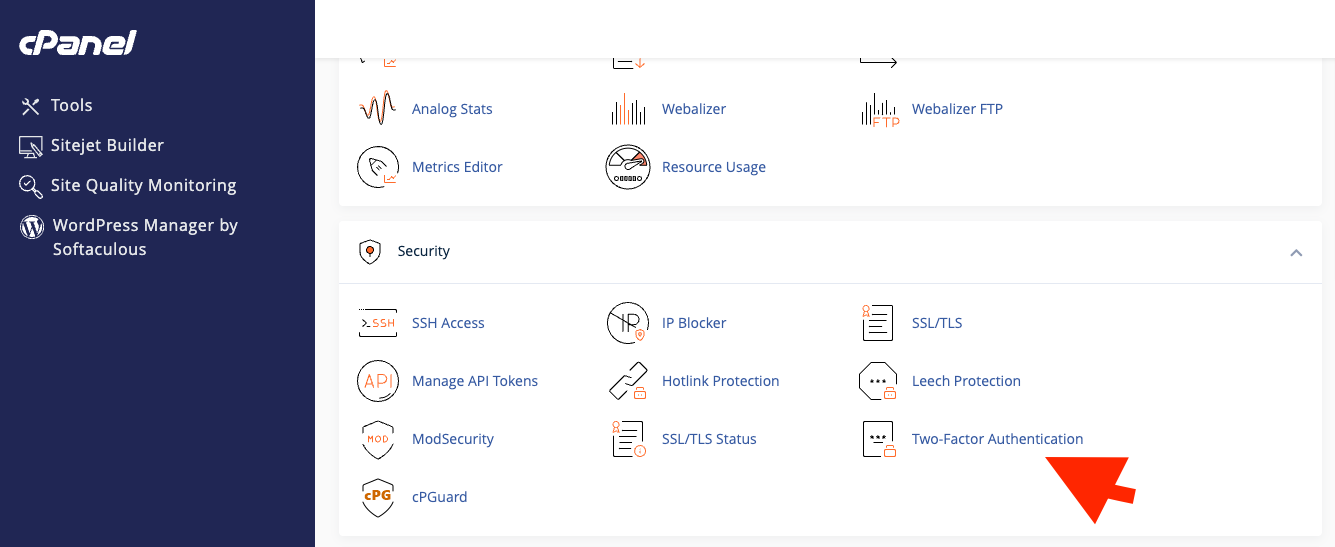
1. Log into cPanel
2. Scroll down, under the "Security" section, select "Two-Factor Authentication" as shown in the below screenshot. Then, click "Set Up Two-Factor Authentication" and finish the on-screen steps